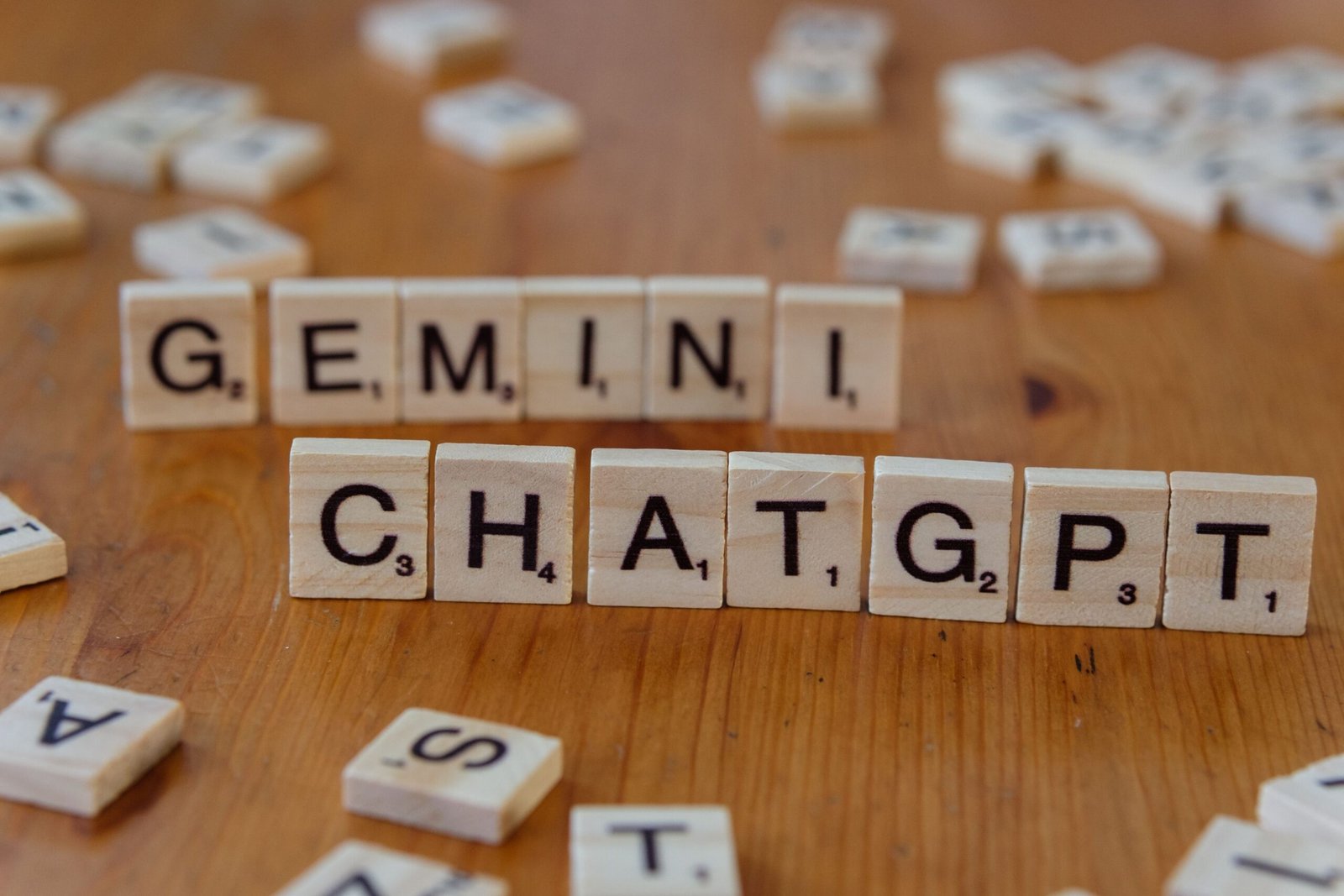
A friendly guide for beginners who want to pick the right AI assistant without the confusion.
If you have ever typed “best AI assistant” into a search bar, you probably came away more confused than when you started. Every website seems to crown a different winner. One person swears by ChatGPT, another says Claude writes better, and a third insists Gemini is the smartest choice because it lives inside Google.
Here is the good news: they are all right, and they are all a little wrong. The three most popular AI assistants are all capable, friendly, and free to try. What matters for you is not which one is “the best” in some absolute sense, but which one fits the task in front of you.
This guide is written for beginners. You do not need any technical background. We will look at what each tool is, what it tends to do well, and how to match each one to everyday jobs such as writing emails, summarizing documents, researching a topic, working with numbers, and creating images. We will also cover costs, privacy, and a simple fifteen-minute test you can run yourself so you can choose with confidence.
One honest note before we begin: these tools update constantly. A strength one has today may be matched by another next month. So treat this guide as a map of general tendencies, not a final ranking, and trust your own experience most of all.
The Short Answer
If you want the quick version, here it is:
- ChatGPT is the all-rounder. It is a good first choice if you want one assistant that does a bit of everything, including writing, data help, and images.
- Claude is the thoughtful writer and reader. It is often praised for natural-sounding writing and for handling long, detail-heavy documents carefully.
- Gemini is the Google-connected helper. It is a natural fit if you already live in Gmail, Google Docs, Google Sheets, and Google Search.
If you only remember one thing, remember this: the right tool is the one that makes your specific task easier. Now let us look at each one more closely.
What Is an AI Assistant, Anyway?
Before comparing, a quick refresher. An AI assistant is a program you talk to in plain language. You type a request, such as “Help me write a polite email declining this invitation,” and it replies in seconds. You can then ask it to change the answer: make it shorter, friendlier, or more formal.
These tools are very good at language: writing, rewriting, summarizing, explaining, brainstorming, and organizing. They are less reliable as a source of guaranteed facts, which is why a quick human check matters. Think of an AI assistant as a fast, well-read helper who sometimes makes mistakes, rather than an expert who is always right.
All three tools in this guide work this way. The differences are in their style, their extra features, and where they fit into your day.
Meet the Three Assistants
ChatGPT: The Versatile All-Rounder
ChatGPT, made by OpenAI, is the tool that brought AI assistants to the mainstream, and it remains the most widely recognized name. Many beginners start here because it feels familiar and covers a lot of ground.
What it tends to do well:
- Handling a wide range of everyday tasks in one place
- Working with data, such as uploading a spreadsheet and asking for a chart or a summary
- Generating images from a text description
- Offering many extras, including voice conversations and the ability to remember some details about you if you turn that on
Things to keep in mind: Because it tries to do so much, its menus and options can feel busy at first. As with all of these tools, it can sound confident while being wrong, so check anything important.
A good fit if you: want one flexible assistant for varied tasks and like having images and data tools in the same app.
Claude: The Thoughtful Writer and Reader
Claude, made by Anthropic, has built a reputation for careful, natural-sounding responses. Many people who write often, such as bloggers, students, and professionals who send a lot of email, like its tone.
What it tends to do well:
- Writing and editing that sounds natural and less robotic
- Reading long documents and pulling out what matters
- Following detailed instructions closely
- Explaining ideas patiently and being upfront about what it does not know
Things to keep in mind: Claude does not create images the way the other two can. It can still help you describe or plan images, but if picture-making is important to you, you will want another tool for that part.
A good fit if you: write or read a lot, work with longer documents, or care most about tone and clarity.
A transparent note: this guide was written by Claude. To keep things fair, the descriptions above and below are based on the general strengths people commonly report for each tool, and the advice at the end encourages you to test all three yourself.
Gemini: The Google-Connected Helper
Gemini, made by Google, is closely tied to Google’s world of products. If your email, calendar, documents, and files already live with Google, that connection is its biggest advantage.
What it tends to do well:
- Working alongside Google apps such as Gmail, Docs, Sheets, and Drive
- Looking up current information, thanks to its link with Google Search
- Handling very large amounts of material at once
- Creating and editing images
Things to keep in mind: Its usefulness grows with how much you use Google services. If you rarely use them, the main advantage matters less.
A good fit if you: already use Gmail and Google Docs every day and want an assistant that works where you already work.
Task-by-Task: Which Tool Fits?
Now for the heart of the guide. Here is how the three compare on the jobs most beginners actually do.
1. Writing Emails and Everyday Messages
This is the most common use of AI, and all three handle it well. You paste in a message, explain what you want to say, and get a polished reply.
- Claude is often preferred when the tone matters, such as a sensitive message, a thank-you note, or a professional email that should sound warm rather than stiff.
- ChatGPT is quick and flexible, and it is easy to ask for several versions at once.
- Gemini shines if you write inside Gmail, because it can help you draft right where you are typing.
Beginner tip: whichever you use, tell it who the email is for and how you want to sound. “Write a friendly but professional reply to my landlord, under 100 words” will beat “write a reply” every time.
2. Summarizing Long Documents
Have a long report, article, or set of notes you do not have time to read? Summarizing is one of the biggest time-savers available.
- Claude is frequently praised for careful reading of detailed documents and for noticing important specifics.
- Gemini is known for handling very large amounts of text, which helps with long files.
- ChatGPT does this well too, especially for quick overviews.
Beginner tip: ask for a structure, such as “Give me five key points and a list of action items.” Then skim the original for anything that seems surprising, since summaries can miss nuance.
3. Researching a Topic
When you want to learn about something new or compare options, the ability to look up current information matters.
- Gemini has a natural advantage here because of its connection to Google Search, which is helpful for up-to-date topics.
- ChatGPT and Claude can also search the web in many setups and can explain what they find in plain language.
Beginner tip: for anything involving health, money, laws, or safety, ask the tool to show its sources, then open them and confirm. AI is a great starting point for research, but it should not be your final authority.
4. Working With Numbers and Spreadsheets
If you have a list of expenses, sales, or survey answers, an assistant can help you make sense of them.
- ChatGPT is popular for uploading a spreadsheet file and getting charts and analysis right in the chat.
- Gemini is convenient if your data already lives in Google Sheets.
- Claude is good at explaining what the numbers mean in plain language and at careful step-by-step reasoning.
Beginner tip: start small. Ask for a simple summary or one chart before attempting anything complicated, and double-check calculations that matter.
5. Creating Images
Need an illustration for a party invitation, a presentation, or a social media post?
- ChatGPT and Gemini can both create images from a written description.
- Claude does not generate images, so choose one of the others for this job.
Beginner tip: describe the style, colors, and mood. “A cozy watercolor illustration of a reading nook on a rainy day” gives a far better result than “a reading nook.”
6. Planning Your Week, Meals, or a Trip
Turning a messy to-do list into a calm plan is something all three do nicely.
- ChatGPT is a flexible planner and can adjust plans quickly as you give feedback.
- Gemini can be handy if your plans connect to your Google Calendar or Maps.
- Claude is good at thoughtful, well-organized plans that account for the constraints you describe.
Beginner tip: share your real limits, such as your budget, energy level, and fixed commitments. The more honest the context, the more realistic the plan.
7. Learning Something New
AI assistants make patient tutors. You can ask the same question five different ways without feeling embarrassed.
- All three can explain ideas simply and give examples.
- Claude is often liked for clear, step-by-step explanations.
- ChatGPT is popular for quizzes and practice conversations.
- Gemini is useful when you want to pull in up-to-date sources.
Beginner tip: say your level. “Explain this like I am a complete beginner” is a magic phrase that works with every tool.
8. Brainstorming and Creative Ideas
For gift ideas, names, party themes, or story starters, any of the three will give you plenty of options. This is a case where trying the same request in two tools and comparing is genuinely fun, because each has a slightly different creative personality.
At a Glance: A Simple Comparison Table
This table summarizes general tendencies. It is a starting point, not a scoreboard.
| Task | ChatGPT | Claude | Gemini |
|---|---|---|---|
| Emails and everyday writing | Quick and flexible | Often praised for natural tone | Handy inside Gmail and Docs |
| Long documents and summaries | Good all-round | Strong with detailed reading | Strong with very large files |
| Research and current information | Good, with web search | Good, with web search | Closely tied to Google Search |
| Spreadsheets and data | Popular for charts and analysis | Clear explanations of results | Convenient with Google Sheets |
| Creating images | Yes | No | Yes |
| Works best with | Many different tasks in one app | Writing and reading | Google apps |
What About Cost?
Here is the reassuring part: you can start for free with all three. Each offers a free version that is plenty for beginners. Paid plans usually cost around the same monthly price and give you higher usage limits, access to more advanced features, and faster responses.
My suggestion is simple. Use the free versions for a few weeks. If you hit limits that genuinely slow you down, such as running out of messages in the middle of a task you rely on, then consider paying for one. Prices, plans, and limits change often, so check each tool’s website for current details before you spend anything. And there is no rule that says you need to pay for all three. Most beginners are happy with one, and many never upgrade at all.
Privacy and Safety: A Few Friendly Rules
No matter which assistant you pick, a few habits keep you safe.
- Do not share sensitive information. Avoid typing passwords, bank details, ID numbers, or private medical records into any AI tool.
- Check your privacy settings. Many tools let you choose whether your conversations can be used to improve the service. Take two minutes to review this when you sign up.
- Be careful with work and school material. If a document is confidential, or if your workplace or school has rules about AI, follow them.
- Verify important facts. All three can be wrong while sounding certain. If a statement affects a decision, a deadline, or another person, double-check it.
- Remember you are responsible. If you send it or submit it, it is yours. The assistant is your helper, not the author of record.
These are not reasons to be afraid. They are the same common-sense habits you would use with any online service.
Your Fifteen-Minute Test: Find Your Favorite
The best way to choose is to try. Here is a simple experiment that takes about fifteen minutes.
Step 1: Pick three real tasks from your week. For example: reply to an awkward email, summarize an article you have been meaning to read, and plan your weekend.
Step 2: Give each task to all three assistants. Use the exact same wording each time so the comparison is fair. If you do not want to sign up for all three right away, start with two.
Step 3: Compare the answers. Ask yourself:
- Which answer needed the least editing?
- Which one sounded most like me?
- Which one was easiest to use and understand?
- Did any of them make a mistake I had to fix?
Step 4: Pick a home base. Choose the one that felt best overall and use it as your main assistant for the next few weeks. You can always bring in a second tool for specific jobs, such as images or very long files.
There is one more bonus. If you follow up with “make it shorter” or “make it friendlier” in each tool, you will quickly learn how responsive each one is. A good assistant feels like a smooth conversation, not a struggle.
Can You Use More Than One?
Absolutely, and many people do. There is no loyalty requirement. A common pattern looks like this:
- One assistant as the everyday home base for writing, planning, and questions
- A second one for a special job, such as creating images or working inside Google apps
However, a word of caution for beginners: do not spread yourself thin. Learning one tool well beats dabbling in three. Once you are comfortable with how to ask clearly, those skills carry over to any assistant, because they all respond to the same simple habits: say what you want, give context, and ask for changes.
A Reliable Way to Ask
Since it works with all three, here is a formula worth keeping:
Role + Task + Context + Format
- Role: “You are a friendly assistant who writes clear emails.”
- Task: “Reply to the message below and politely decline.”
- Context: “I am busy this month but would like to reconnect in March.”
- Format: “Keep it under 80 words.”
This single habit improves results on every tool more than switching brands ever will.
Common Beginner Mistakes
Mistake 1: Expecting a perfect answer on the first try. The first reply is a draft. Ask for changes until it fits.
Mistake 2: Judging a tool from a single request. One awkward answer does not tell you much. Try a few different tasks before deciding.
Mistake 3: Believing every ranking you read. Headlines declaring a permanent winner age quickly, because these tools improve all the time. Your own results on your own tasks matter more.
Mistake 4: Sharing too much personal information. When in doubt, leave it out.
Mistake 5: Forgetting to double-check. A quick review of facts, names, dates, and numbers can save you from embarrassment.
Frequently Asked Questions
Is one of them smarter than the others? At the level most people use them, all three are impressive. The differences are more about style, features, and fit than raw intelligence.
Which is easiest for a complete beginner? All three have a simple chat box. If you already use Google products, Gemini may feel the most natural. If you want a general all-rounder, ChatGPT is a common starting point. If you mainly write and read, Claude is worth a try.
Will they replace my own thinking? No, and that is not the goal. They are best used as helpers that speed up drafts and organization, while you stay in charge of the decisions and the final result.
Do I need to pay? Not to get started. The free versions are enough for most everyday tasks.
What if I choose the wrong one? Then you switch. Nothing locks you in, and what you learn about asking clearly works everywhere.
Final Thoughts: Choose the Helper That Helps You
The question “Which one is best?” has no permanent answer, but “Which one fits my task?” does, and it is one you can answer yourself in an afternoon.
If you want a flexible all-rounder with data tools and images, ChatGPT is a great place to begin. If you value natural writing and careful reading of long documents, Claude may feel like a good partner. If your life runs on Gmail, Docs, and Google Search, Gemini will likely slot right in. And if you are still unsure, simply try two of them on the same three tasks and see which one makes your day a little easier.
The real goal is not to pick a winner. It is to hand off the small, time-consuming jobs so you have more time and energy for the parts of life you enjoy. Start with one task, give it ten minutes, and see how it feels. You may be pleasantly surprised at how quickly an AI assistant becomes a comfortable part of your routine.
6. Planning Your Week, Meals, or a Trip
Turning a messy to-do list into a calm plan is something all three do ChatGPT vs Claude vs Gemini: Which One Fits Which Task?
A friendly guide for beginners who want to pick the right AI assistant without the confusion.
If you have ever typed “best AI assistant” into a search bar, you probably came away more confused than when you started. Every website seems to crown a different winner. One person swears by ChatGPT, another says Claude writes better, and a third insists Gemini is the smartest choice because it lives inside Google.
Here is the good news: they are all right, and they are all a little wrong. The three most popular AI assistants are all capable, friendly, and free to try. What matters for you is not which one is “the best” in some absolute ChatGPT vs Claude vs Gemini: Which One Fits Which Task?
A friendly guide for beginners who want to pick the right AI assistant without the confusion.
If you have ever typed “best AI assistant” into a search bar, you probably came away more confused than when you started. Every website seems to crown a different winner. One person swears by ChatGPT, another says Claude writes better, and a third insists Gemini is the smartest choice because it lives inside Google.
Here is the good news: they are all right, and they are all a little wrong. The three most popular AI assistants are all capable, friendly, and free to try. What matters for you is not which one is “the best” in some absolute sense, but which one fits the task in front of you.
This guide is written for beginners. You do not need any technical background. We will look at what each tool is, what it tends to do well, and how to match each one to everyday jobs such as writing emails, summarizing documents, researching a topic, working with numbers, and creating images. We will also cover costs, privacy, and a simple fifteen-minute test you can run yourself so you can choose with confidence.
One honest note before we begin: these tools update constantly. A strength one has today may be matched by another next month. So treat this guide as a map of general tendencies, not a final ranking, and trust your own experience most of all.
The Short Answer
If you want the quick version, here it is:
- ChatGPT is the all-rounder. It is a good first choice if you want one assistant that does a bit of everything, including writing, data help, and images.
- Claude is the thoughtful writer and reader. It is often praised for natural-sounding writing and for handling long, detail-heavy documents carefully.
- Gemini is the Google-connected helper. It is a natural fit if you already live in Gmail, Google Docs, Google Sheets, and Google Search.
If you only remember one thing, remember this: the right tool is the one that makes your specific task easier. Now let us look at each one more closely.
What Is an AI Assistant, Anyway?
Before comparing, a quick refresher. An AI assistant is a program you talk to in plain language. You type a request, such as “Help me write a polite email declining this invitation,” and it replies in seconds. You can then ask it to change the answer: make it shorter, friendlier, or more formal.
These tools are very good at language: writing, rewriting, summarizing, explaining, brainstorming, and organizing. They are less reliable as a source of guaranteed facts, which is why a quick human check matters. Think of an AI assistant as a fast, well-read helper who sometimes makes mistakes, rather than an expert who is always right.
All three tools in this guide work this way. The differences are in their style, their extra features, and where they fit into your day.
Meet the Three Assistants
ChatGPT: The Versatile All-Rounder
ChatGPT, made by OpenAI, is the tool that brought AI assistants to the mainstream, and it remains the most widely recognized name. Many beginners start here because it feels familiar and covers a lot of ground.
What it tends to do well:
- Handling a wide range of everyday tasks in one place
- Working with data, such as uploading a spreadsheet and asking for a chart or a summary
- Generating images from a text description
- Offering many extras, including voice conversations and the ability to remember some details about you if you turn that on
Things to keep in mind: Because it tries to do so much, its menus and options can feel busy at first. As with all of these tools, it can sound confident while being wrong, so check anything important.
A good fit if you: want one flexible assistant for varied tasks and like having images and data tools in the same app.
Claude: The Thoughtful Writer and Reader
Claude, made by Anthropic, has built a reputation for careful, natural-sounding responses. Many people who write often, such as bloggers, students, and professionals who send a lot of email, like its tone.
What it tends to do well:
- Writing and editing that sounds natural and less robotic
- Reading long documents and pulling out what matters
- Following detailed instructions closely
- Explaining ideas patiently and being upfront about what it does not know
Things to keep in mind: Claude does not create images the way the other two can. It can still help you describe or plan images, but if picture-making is important to you, you will want another tool for that part.
A good fit if you: write or read a lot, work with longer documents, or care most about tone and clarity.
A transparent note: this guide was written by Claude. To keep things fair, the descriptions above and below are based on the general strengths people commonly report for each tool, and the advice at the end encourages you to test all three yourself.
Gemini: The Google-Connected Helper
Gemini, made by Google, is closely tied to Google’s world of products. If your email, calendar, documents, and files already live with Google, that connection is its biggest advantage.
What it tends to do well:
- Working alongside Google apps such as Gmail, Docs, Sheets, and Drive
- Looking up current information, thanks to its link with Google Search
- Handling very large amounts of material at once
- Creating and editing images
Things to keep in mind: Its usefulness grows with how much you use Google services. If you rarely use them, the main advantage matters less.
A good fit if you: already use Gmail and Google Docs every day and want an assistant that works where you already work.
Task-by-Task: Which Tool Fits?
Now for the heart of the guide. Here is how the three compare on the jobs most beginners actually do.
1. Writing Emails and Everyday Messages
This is the most common use of AI, and all three handle it well. You paste in a message, explain what you want to say, and get a polished reply.
- Claude is often preferred when the tone matters, such as a sensitive message, a thank-you note, or a professional email that should sound warm rather than stiff.
- ChatGPT is quick and flexible, and it is easy to ask for several versions at once.
- Gemini shines if you write inside Gmail, because it can help you draft right where you are typing.
Beginner tip: whichever you use, tell it who the email is for and how you want to sound. “Write a friendly but professional reply to my landlord, under 100 words” will beat “write a reply” every time.
2. Summarizing Long Documents
Have a long report, article, or set of notes you do not have time to read? Summarizing is one of the biggest time-savers available.
- Claude is frequently praised for careful reading of detailed documents and for noticing important specifics.
- Gemini is known for handling very large amounts of text, which helps with long files.
- ChatGPT does this well too, especially for quick overviews.
Beginner tip: ask for a structure, such as “Give me five key points and a list of action items.” Then skim the original for anything that seems surprising, since summaries can miss nuance.
3. Researching a Topic
When you want to learn about something new or compare options, the ability to look up current information matters.
- Gemini has a natural advantage here because of its connection to Google Search, which is helpful for up-to-date topics.
- ChatGPT and Claude can also search the web in many setups and can explain what they find in plain language.
Beginner tip: for anything involving health, money, laws, or safety, ask the tool to show its sources, then open them and confirm. AI is a great starting point for research, but it should not be your final authority.
4. Working With Numbers and Spreadsheets
If you have a list of expenses, sales, or survey answers, an assistant can help you make sense of them.
- ChatGPT is popular for uploading a spreadsheet file and getting charts and analysis right in the chat.
- Gemini is convenient if your data already lives in Google Sheets.
- Claude is good at explaining what the numbers mean in plain language and at careful step-by-step reasoning.
Beginner tip: start small. Ask for a simple summary or one chart before attempting anything complicated, and double-check calculations that matter.
5. Creating Images
Need an illustration for a party invitation, a presentation, or a social media post?
- ChatGPT and Gemini can both create images from a written description.
- Claude does not generate images, so choose one of the others for this job.
Beginner tip: describe the style, colors, and mood. “A cozy watercolor illustration of a reading nook on a rainy day” gives a far better result than “a reading nook.”
6. Planning Your Week, Meals, or a Trip
Turning a messy to-do list into a calm plan is something all three do nicely.
- ChatGPT is a flexible planner and can adjust plans quickly as you give feedback.
- Gemini can be handy if your plans connect to your Google Calendar or Maps.
- Claude is good at thoughtful, well-organized plans that account for the constraints you describe.
Beginner tip: share your real limits, such as your budget, energy level, and fixed commitments. The more honest the context, the more realistic the plan.
7. Learning Something New
AI assistants make patient tutors. You can ask the same question five different ways without feeling embarrassed.
- All three can explain ideas simply and give examples.
- Claude is often liked for clear, step-by-step explanations.
- ChatGPT is popular for quizzes and practice conversations.
- Gemini is useful when you want to pull in up-to-date sources.
Beginner tip: say your level. “Explain this like I am a complete beginner” is a magic phrase that works with every tool.
8. Brainstorming and Creative Ideas
For gift ideas, names, party themes, or story starters, any of the three will give you plenty of options. This is a case where trying the same request in two tools and comparing is genuinely fun, because each has a slightly different creative personality.
At a Glance: A Simple Comparison Table
This table summarizes general tendencies. It is a starting point, not a scoreboard.
| Task | ChatGPT | Claude | Gemini |
|---|---|---|---|
| Emails and everyday writing | Quick and flexible | Often praised for natural tone | Handy inside Gmail and Docs |
| Long documents and summaries | Good all-round | Strong with detailed reading | Strong with very large files |
| Research and current information | Good, with web search | Good, with web search | Closely tied to Google Search |
| Spreadsheets and data | Popular for charts and analysis | Clear explanations of results | Convenient with Google Sheets |
| Creating images | Yes | No | Yes |
| Works best with | Many different tasks in one app | Writing and reading | Google apps |
What About Cost?
Here is the reassuring part: you can start for free with all three. Each offers a free version that is plenty for beginners. Paid plans usually cost around the same monthly price and give you higher usage limits, access to more advanced features, and faster responses.
My suggestion is simple. Use the free versions for a few weeks. If you hit limits that genuinely slow you down, such as running out of messages in the middle of a task you rely on, then consider paying for one. Prices, plans, and limits change often, so check each tool’s website for current details before you spend anything. And there is no rule that says you need to pay for all three. Most beginners are happy with one, and many never upgrade at all.
Privacy and Safety: A Few Friendly Rules
No matter which assistant you pick, a few habits keep you safe.
- Do not share sensitive information. Avoid typing passwords, bank details, ID numbers, or private medical records into any AI tool.
- Check your privacy settings. Many tools let you choose whether your conversations can be used to improve the service. Take two minutes to review this when you sign up.
- Be careful with work and school material. If a document is confidential, or if your workplace or school has rules about AI, follow them.
- Verify important facts. All three can be wrong while sounding certain. If a statement affects a decision, a deadline, or another person, double-check it.
- Remember you are responsible. If you send it or submit it, it is yours. The assistant is your helper, not the author of record.
These are not reasons to be afraid. They are the same common-sense habits you would use with any online service.
Your Fifteen-Minute Test: Find Your Favorite
The best way to choose is to try. Here is a simple experiment that takes about fifteen minutes.
Step 1: Pick three real tasks from your week. For example: reply to an awkward email, summarize an article you have been meaning to read, and plan your weekend.
Step 2: Give each task to all three assistants. Use the exact same wording each time so the comparison is fair. If you do not want to sign up for all three right away, start with two.
Step 3: Compare the answers. Ask yourself:
- Which answer needed the least editing?
- Which one sounded most like me?
- Which one was easiest to use and understand?
- Did any of them make a mistake I had to fix?
Step 4: Pick a home base. Choose the one that felt best overall and use it as your main assistant for the next few weeks. You can always bring in a second tool for specific jobs, such as images or very long files.
There is one more bonus. If you follow up with “make it shorter” or “make it friendlier” in each tool, you will quickly learn how responsive each one is. A good assistant feels like a smooth conversation, not a struggle.
Can You Use More Than One?
Absolutely, and many people do. There is no loyalty requirement. A common pattern looks like this:
- One assistant as the everyday home base for writing, planning, and questions
- A second one for a special job, such as creating images or working inside Google apps
However, a word of caution for beginners: do not spread yourself thin. Learning one tool well beats dabbling in three. Once you are comfortable with how to ask clearly, those skills carry over to any assistant, because they all respond to the same simple habits: say what you want, give context, and ask for changes.
A Reliable Way to Ask
Since it works with all three, here is a formula worth keeping:
Role + Task + Context + Format
- Role: “You are a friendly assistant who writes clear emails.”
- Task: “Reply to the message below and politely decline.”
- Context: “I am busy this month but would like to reconnect in March.”
- Format: “Keep it under 80 words.”
This single habit improves results on every tool more than switching brands ever will.
Common Beginner Mistakes
Mistake 1: Expecting a perfect answer on the first try. The first reply is a draft. Ask for changes until it fits.
Mistake 2: Judging a tool from a single request. One awkward answer does not tell you much. Try a few different tasks before deciding.
Mistake 3: Believing every ranking you read. Headlines declaring a permanent winner age quickly, because these tools improve all the time. Your own results on your own tasks matter more.
Mistake 4: Sharing too much personal information. When in doubt, leave it out.
Mistake 5: Forgetting to double-check. A quick review of facts, names, dates, and numbers can save you from embarrassment.
Frequently Asked Questions
Is one of them smarter than the others? At the level most people use them, all three are impressive. The differences are more about style, features, and fit than raw intelligence.
Which is easiest for a complete beginner? All three have a simple chat box. If you already use Google products, Gemini may feel the most natural. If you want a general all-rounder, ChatGPT is a common starting point. If you mainly write and read, Claude is worth a try.
Will they replace my own thinking? No, and that is not the goal. They are best used as helpers that speed up drafts and organization, while you stay in charge of the decisions and the final result.
Do I need to pay? Not to get started. The free versions are enough for most everyday tasks.
What if I choose the wrong one? Then you switch. Nothing locks you in, and what you learn about asking clearly works everywhere.
Final Thoughts: Choose the Helper That Helps You
The question “Which one is best?” has no permanent answer, but “Which one fits my task?” does, and it is one you can answer yourself in an afternoon.
If you want a flexible all-rounder with data tools and images, ChatGPT is a great place to begin. If you value natural writing and careful reading of long documents, Claude may feel like a good partner. If your life runs on Gmail, Docs, and Google Search, Gemini will likely slot right in. And if you are still unsure, simply try two of them on the same three tasks and see which one makes your day a little easier.
The real goal is not to pick a winner. It is to hand off the small, time-consuming jobs so you have more time and energy for the parts of life you enjoy. Start with one task, give it ten minutes, and see how it feels. You may be pleasantly surprised at how quickly an AI assistant becomes a comfortable part of your routine.
Leave a Reply